Japan · English-language guide / Decision guide
Japan-only Switch 2: English voices do not guarantee English menus
The Japan-only Switch 2 has a Japanese system interface. Some games have their own language options, but English voices do not establish English text: SEGA says Puyo Puyo Tetris 2S can use English audio while its display stays Japanese on this hardware.
For English-speaking households in Japan checking a console or a particular game before buying. This guide uses Nintendo and publisher documentation, not hands-on testing.
Separate these four language questions
On small screens, scroll the table sideways.
| Layer | What to establish |
|---|---|
| Console interface | The Japan-only model offers Japanese, not an English system-menu option. |
| Nintendo Account | Nintendo requires a Japan-region account for linking to this model. That restriction is separate from a game’s audio settings. |
| Game display text | Check whether the exact game follows the system language or has its own display-language selector. |
| Game audio | Check voice options separately. An English audio option does not answer the display-text question. |
Nintendo’s model comparison establishes the hardware and account limits and notes software-specific exceptions. Its language-setting FAQ, in Japanese explicitly excludes the Japan-only model from the ordinary language-change procedure. It says this model has no Language or Region item. Instructions for a multilingual Switch 2 are not a way to change this model’s interface.
The Puyo Puyo Tetris 2S example
SEGA’s game-specific answer distinguishes the two settings: Basic Settings inside Options offers Japanese or English voices, while display language follows the console and has no in-game selector. SEGA explicitly states that display text is Japanese on a Japan-only Switch 2.
Scroll the diagram sideways to read all labels.
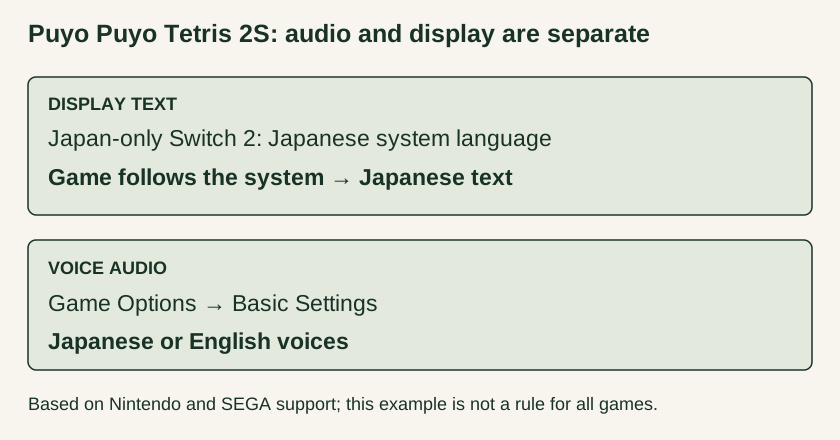
The same support answer lists several supported display languages and an English fallback for unsupported system languages. Neither detail overrides its explicit Japan-only restriction: Japanese is a supported system language, so do not interpret that fallback as an English-text workaround.
Check your must-play games before choosing hardware
- Write down the exact title, platform and release you intend to buy. A statement about another edition does not resolve this one.
- Find publisher evidence that distinguishes menu and subtitle text from voice audio, and check how each setting is selected.
- If English text matters and the setting is unclear, ask the publisher before buying. Record the answer as unknown until the exact version is confirmed.
Nintendo directs people who need other system languages toward its multilingual model. This article does not assess current prices, stock or import arrangements, and it offers no account-region changes or hardware bypass.
For a different household question, our three-console digital-game guide covers copy allocation and licensing limits. It does not establish language compatibility for an individual game.